
Ecommerce Design
What is Ecommerce UX Design? A Beginner’s Guide

Divyesh Kachhadiya
 22, May, 2026
Ecommerce Design
Divyesh Kachhadiya
22, May, 2026
Let’s discuss how Loomis Guild can design and scale an eCommerce experience built for long-term growth. Start a conversation with Loomis Guild and take the next step toward a refined, scalable eCommerce platform.
"*" indicates required fields
Divyesh Kachhadiya
Divyesh is an Ecommerce Expert with custom store builds, theme development and migration. He is experienced Ecommerce developer sharing his insights for the ecommerce store development.
Quick Summary: E-commerce UX design is more than the appearance of your online store; it concerns how easily it works when used. This guide explains in detail what it is, why it’s important, and the key tenets of stores that convert versus those that merely exist.
Think back on the last time you departed an eCommerce store with empty hands. Likely, no. It wasn’t the product. The page was slow. The navigation was confusing. You could not find the size guide. You gave up.
And that is not a technical issue; it is a UX problem, and companies rack up billions in costs every year.
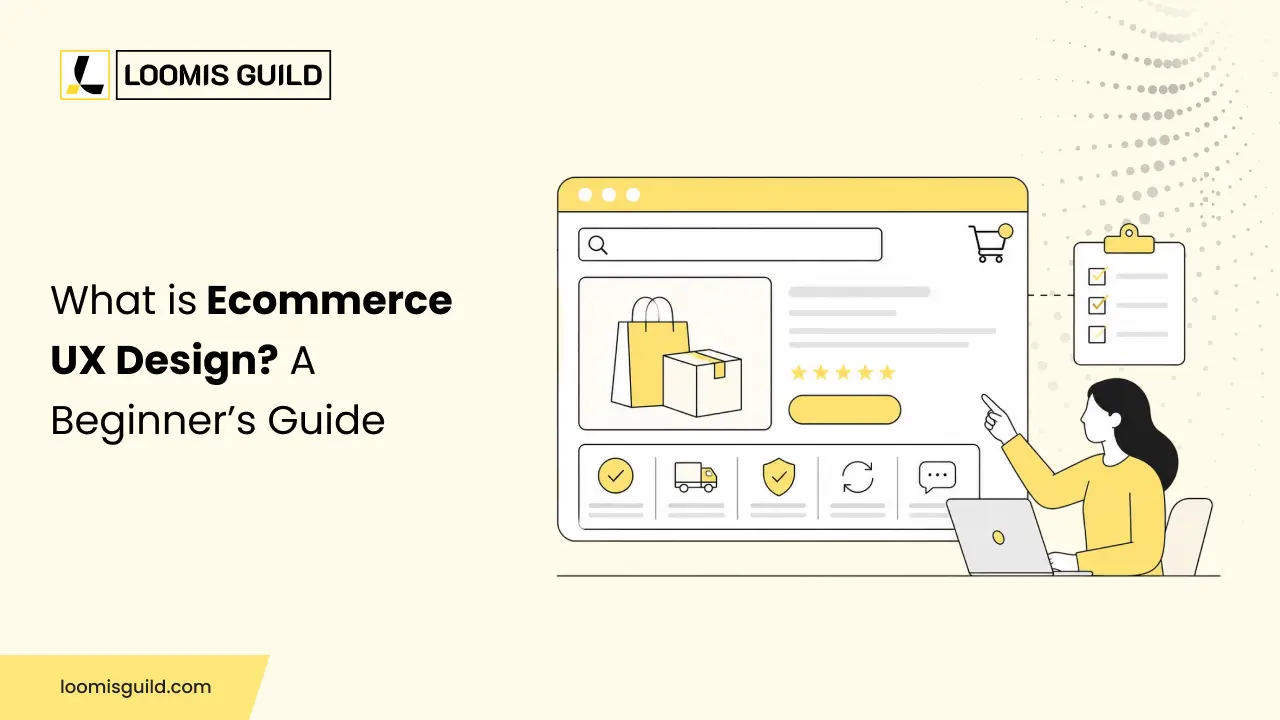
E-commerce UX design is the craft of creating digital shopping experiences that come across as natural, quick, and seamless. It’s not decoration. The difference between a visitor and a buyer.
For those coming to this space fresh, this guide will take you from zero to everything through the fundamentals and key principles that truly matter.
UX is short for user experience. But that phrase gets thrown around so loosely that it’s almost lost meaning. Let’s be more specific.
UX process (ecommerce)UX design is the deliberate process of ensuring that your store is easy traversable, easy to comprehend, and ultimately, simple to purchase from. It takes into consideration how users actually act on a site (and it is never how a designer imagines they will) and builds that reality rather than against it.
Also, you should be aware that the terms of Shopify UX design and e-commerce UI UX design are similar but not truly interchangeable. UI, the user interface, is the visual layer. The button colors, the font choices, and the layout of your homepage banner. UX is the layer underneath that: the logic, the flow, the decisions about what comes before what. You need both. A store that looks polished but routes people into confusing dead ends is still broken.
Think of it like a physical shop. The window display is a UI. The way shelves are organized so you can find things without asking staff, that’s UX.
Most e-commerce businesses track revenue. Some track traffic. Very few track the experience itself, which is unfortunate, because the experience is usually what’s standing between the traffic and the revenue.
Forrester Research has reported that well-executed UX improvements can lift conversion rates by up to 400% (source: forrester.com). That number sounds dramatic, but it makes sense when you consider how much friction exists in the average online store.
Poor ecommerce website user experience shows up in ways that are easy to miss on a spreadsheet:
None of those show up as “UX problem” in your analytics. They just look like lost sales.
Navigation should be invisible. When it works well, users don’t think about it; they just move through your store. When it doesn’t, they get stuck, backtrack, and eventually give up.
The rule of thumb most designers use is three clicks: any product should be reachable within three clicks from the homepage. That’s a useful mental model. But the real goal is zero confusion, not a specific number. Clear category labels, a search bar that actually works, and sensible filtering options are the fundamentals here.
ASOS is a useful reference point. Their category structure is deep in thousands of products, but the navigation handles it without overwhelming the user. Everything has a logical home.
This one trip people up because it feels like a technical problem. It isn’t, or at least, not entirely. Speed is a UX problem because slow pages destroy the experience before it even starts.
According to data by Google, 53% of mobile visits are abandoned if a page takes more than three seconds to load (source: web. dev/vitals). Three seconds. That’s not much buffer. Well, because loading times matter when it comes to user experience (UX), all these are under the UX umbrella: Image optimization, script reduction, and caching, etc.
More than 50% of e-commerce traffic is now initiated through phones. Still, the number of sites that still deliver a somewhat too small desktop experience on mobile is overwhelming.
Mobile UX for e-commerce means more than just responsive design. It means tap targets are large enough for an actual thumb. It means forms with the right keyboard type (numeric for card numbers, email for email addresses). It means checkout that doesn’t require pinching and zooming to find the confirm button.
Design for mobile first. Then figure out the desktop. Not the other way around, even if a desktop is where you personally do most of your shopping.
The product page has one job. It must pre-empt every query a buyer might have before it has to be asked. If they are questioning anything about sizing, how long it will take to be delivered, if the color will look as good in real life as it does in the photo, or anything else, your history with using text and images has put you on the back foot.
The must-haves: a variety of images taken from all angles, product descriptions that are straight-to-the-point (not just marketing speak), pricing with no hidden asterisks, reviews front-and-center, and an unmissable CTA button. Standard stuff. You will be amazed at how many product pages are lacking at least three of those.
Cart abandonment sits at roughly 70% across e-commerce on average (source: Baymard Institute, baymard.com). That’s not a margin of error; that’s most of your potential buyers walking away at the final step.
The usual culprits: forced account creation, unexpected costs appearing at the last step, too many form fields, limited payment options, and unclear error messages when something goes wrong.
Fix the obvious stuff first. Offer guest checkouts. Show total costs early. Support autofill. Add Apple Pay and Google Pay if you haven’t already. A progress bar helps people be more likely to finish something when they can see how close they are.
Online shoppers can’t hold the product. They can’t see your shop floor. They’re deciding based entirely on what your site communicates consciously and unconsciously.
A clean, professional e-commerce design experience signals competence. SSL indicators, clear contact information, genuine customer photos (not just stock), and a return policy written in plain English all reduce the anxiety that comes with buying from an unfamiliar brand.
This is an e-commerce design experience working at its most subtle. Nobody thinks “this trust badge made me convert.” But its absence would have made them leave.
A few patterns worth calling out specifically, because they’re genuinely common:
Most of these aren’t hard to fix. They’re just overlooked because the people running the store have stopped seeing the site the way a new visitor does.
Good intentions don’t improve UX. Data does. A few metrics worth watching:
Hotjar is useful for session recordings and heatmaps, you can literally watch where users get stuck. Google Analytics 4 handles funnel tracking. Neither requires a big budget to use effectively.
Run them together, look for patterns, and fix the most common drop-off points. Then repeat.
Loomis Guild Ecommerce UX design is more than making a store look modern, it’s about creating seamless, intuitive experiences that help shoppers find products faster, make decisions confidently, and complete purchases without friction. From navigation and mobile responsiveness to checkout optimization and trust-building elements, every interaction influences conversions and customer loyalty. By focusing on user behavior and removing obstacles across the buying journey, businesses can create ecommerce experiences that not only attract visitors but turn them into long-term customers.
let’s build something great
Tell us about your project and our ecommerce specialists will get back to you with clear next steps.
Complete the form and we’ll be in touch shortly.